Quick take. Connect Gorgias in Dori's Integrations page. From then on, every request Dori hands to your team also becomes a Gorgias ticket with the whole chat so far. Answer in Gorgias or in Dori: each side shows the other's answer, and closing one closes both. Free on every Dori plan.
Dori answers your shoppers around the clock and hands a chat to your team when a person is needed. If your team works in Gorgias, connect it once and those requests arrive as tickets, next to the rest of your support.
What the integration does
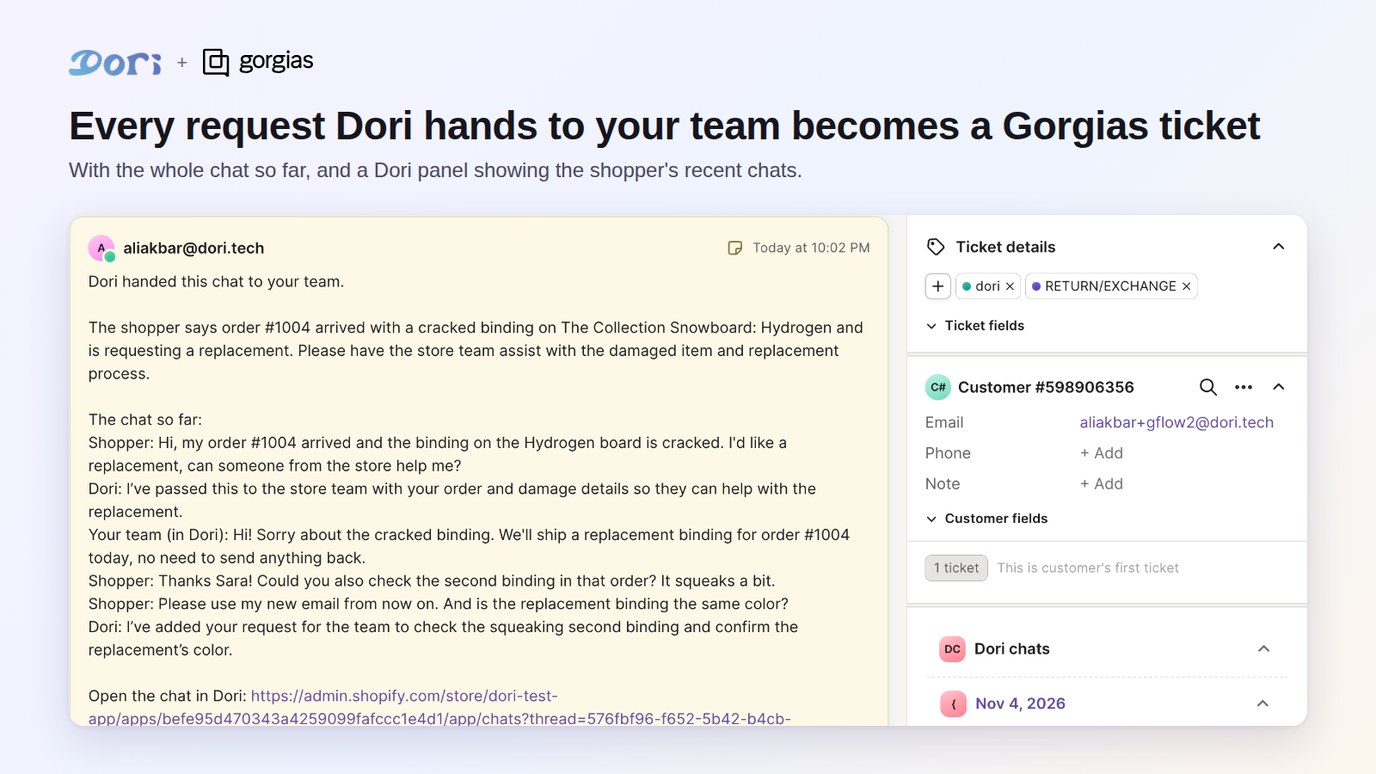
- A ticket for every hand-over. When Dori hands a chat to your team, the request also becomes a Gorgias ticket. The ticket starts with Dori's summary of what the shopper needs and the chat so far.
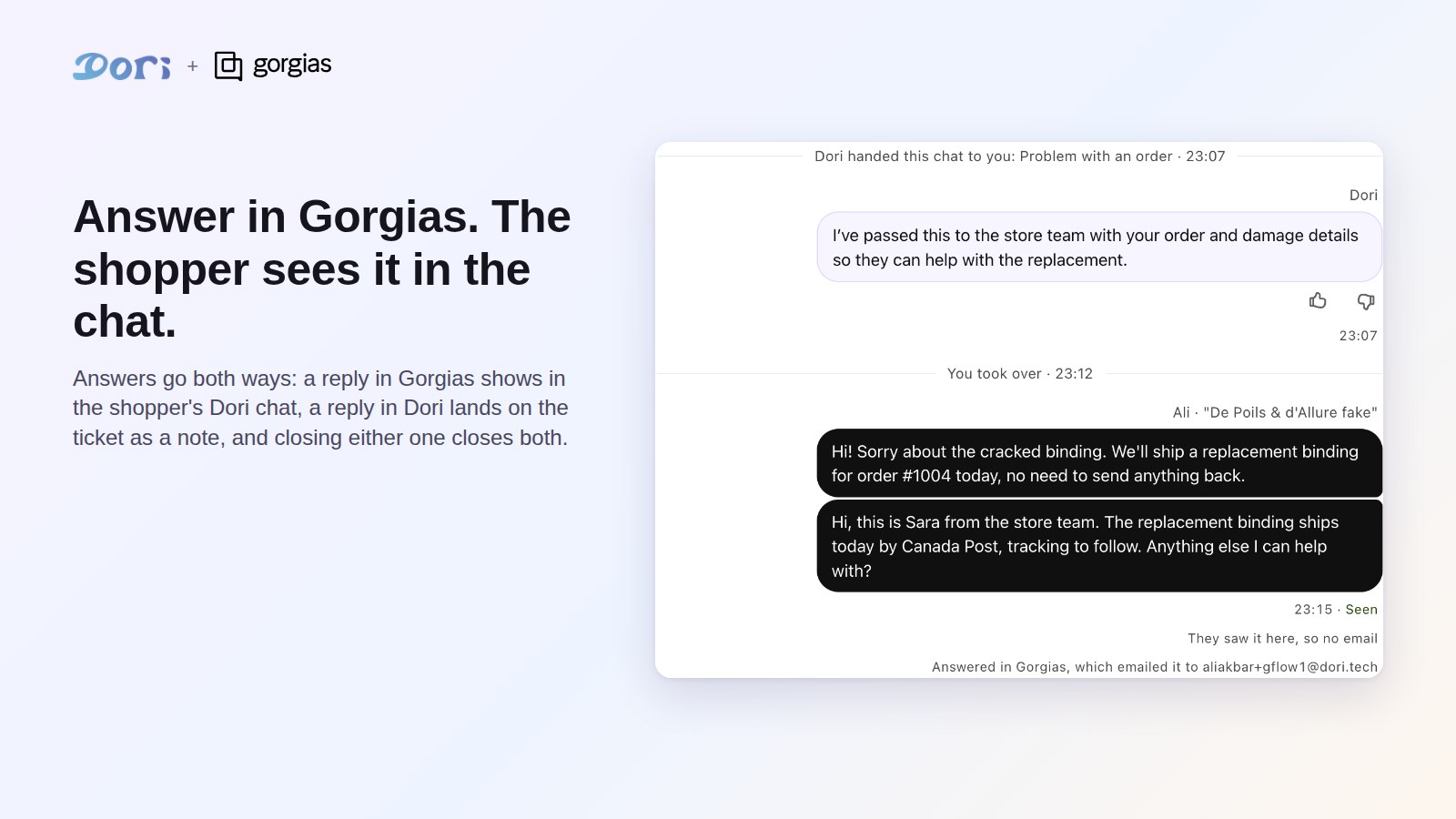
- Answers both ways. An answer written in Gorgias shows in the shopper's Dori chat, and Gorgias emails it as usual. An answer written in Dori is added to the ticket as an internal note, so nobody answers twice.
- Closing both ways. Closing the ticket in Gorgias closes the request in Dori. Marking the request handled in Dori, or handing it back to Dori, closes the ticket.
- The Dori panel. On each ticket, a Dori panel shows the shopper's recent chats with Dori: what they asked and which products Dori showed.
- Nothing else changes. Dori's bell, Conversations and Live chat keep working as you set them up. While Gorgias is connected, the ticket replaces Dori's alert email.
Before you start
- Dori installed on your Shopify store. The free plan works.
- Customer Handoff turned on in Dori (Dori > Assistant > Customer Handoff). This is what lets Dori hand a chat to your team.
- Your Gorgias address (the part before
.gorgias.com) and a Gorgias login that can install apps, usually an admin.
Connect Gorgias
- In your Shopify admin, open Dori > Integrations > Gorgias.
- Type your Gorgias address, for example
yourstoreforyourstore.gorgias.com. - Click Connect Gorgias. Gorgias opens: sign in if it asks, then approve Dori's access.
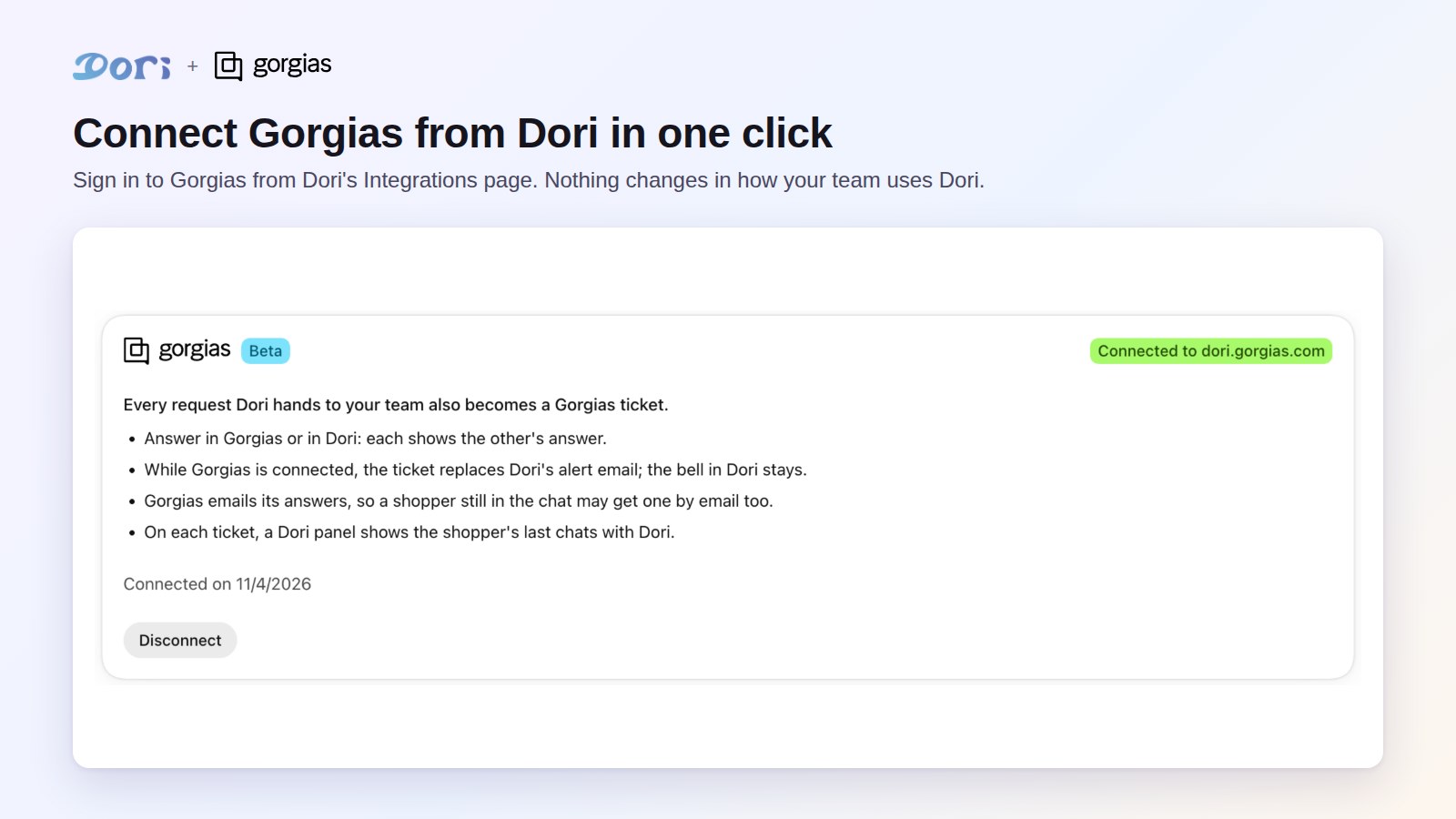
- You land back in Dori, which shows Connected to yourstore.gorgias.com.
Starting from Gorgias's App Store works too: click Connect App on Dori's listing, type your Shopify store address, and Dori opens the same page in your Shopify admin.
What happens next
- The shopper left an email: the ticket is created for that email, with the chat so far.
- Only a phone number: the ticket is a callback request with that number.
- No contact yet: Dori sends its alert email as before. The ticket follows once the shopper leaves an email.
- The shopper writes again: new messages are added to the same ticket. While someone on your team is live in the chat in Dori, they go to that person first.
- The shopper changes their email: Dori opens a new ticket for the new address and links the earlier one.
Disconnect
Open Dori > Integrations > Gorgias and click Disconnect. Dori removes what it added to your Gorgias (its webhook and the Dori panel), and requests come by Dori's alert email again. Tickets already created stay in Gorgias. Uninstalling Dori disconnects Gorgias too.
Pricing
The Gorgias integration is free on every Dori plan, including the free plan. Tickets in Gorgias follow your Gorgias plan as usual.
Need help?
Email [email protected] and tell us your store and Gorgias addresses.