Disclosure: Dori makes an AI shopping assistant for Shopify. This article compares two different categories: Shopify's official Sidekick, which helps merchants inside Shopify, and shopper-facing AI assistants like Dori, which help visitors on the storefront. One naming note: Dori also uses "Sidekick" as a widget name in some places, but in this article Sidekick always means Shopify's official merchant assistant.
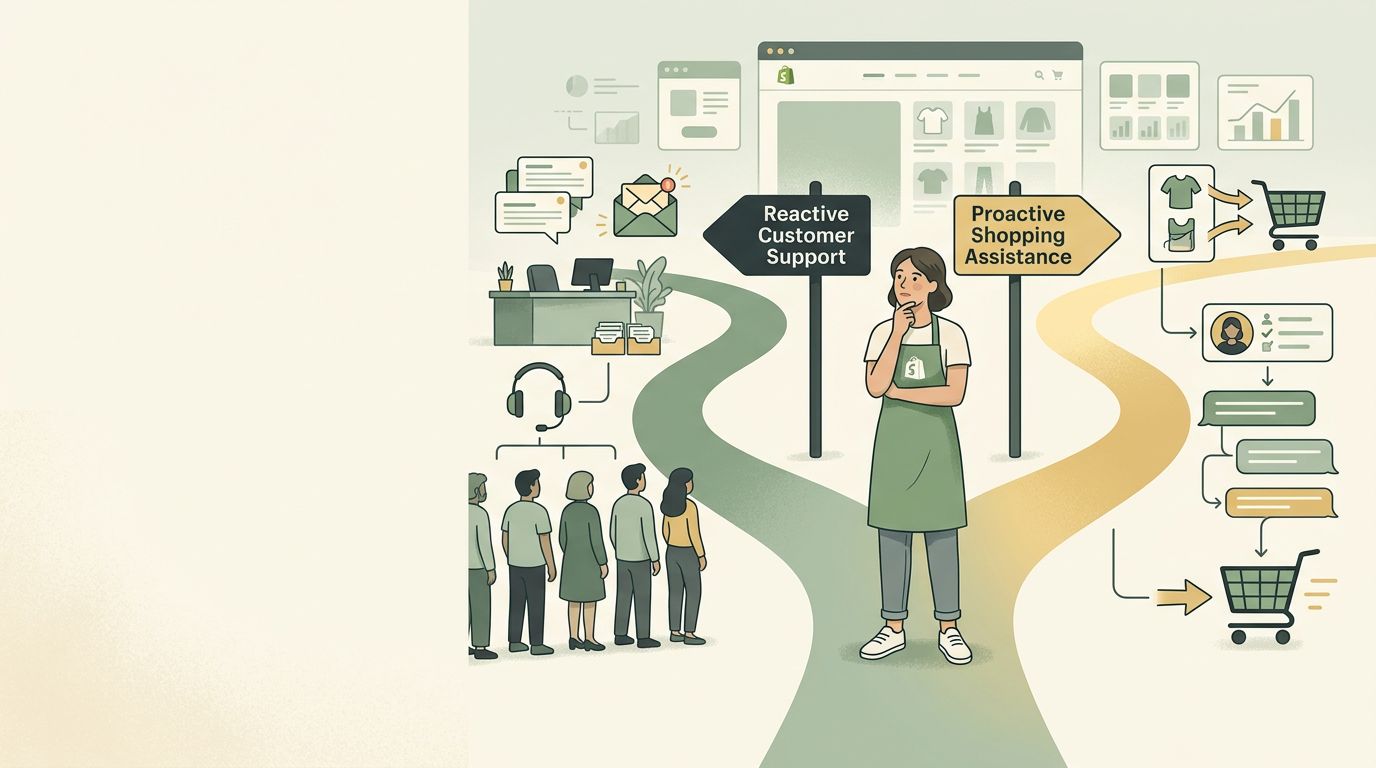
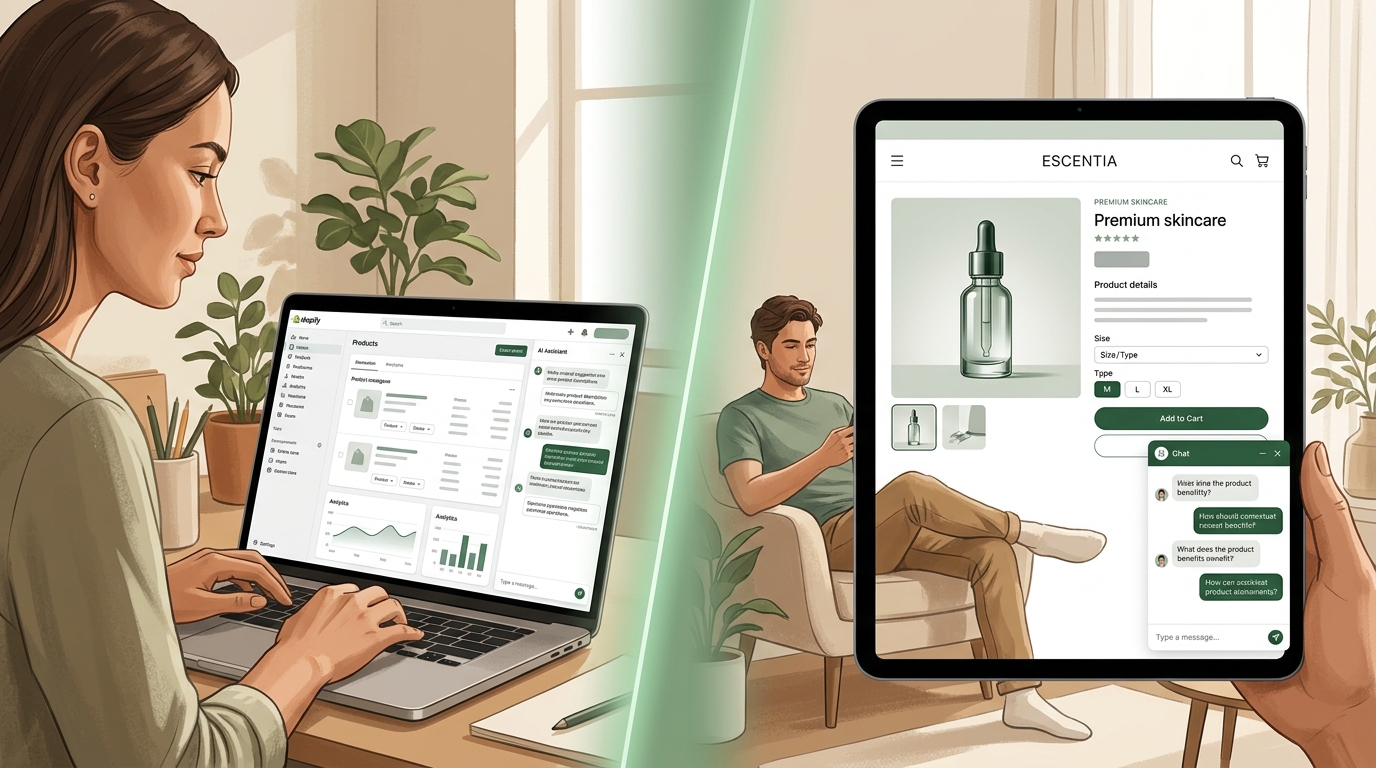
Quick answer: Shopify Sidekick is merchant-side AI. It helps you manage, edit, analyze, and improve your store. AI shopping assistants are shopper-side AI. They help visitors ask questions, compare products, discover options, and buy. They are not alternatives. They sit on different sides of the buying experience.
The simple difference
Shopify Sidekick is built for the person running the store.
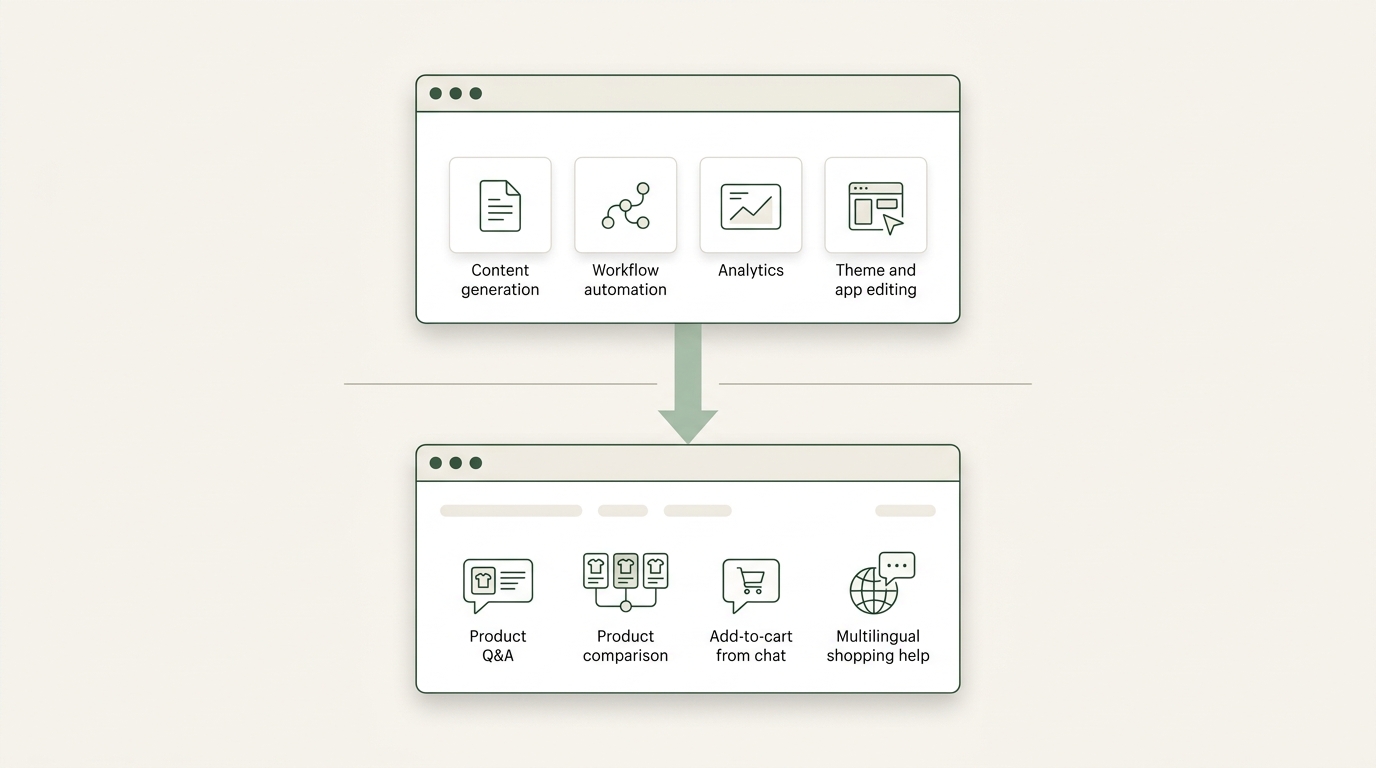
It works inside Shopify's merchant tools and helps with tasks like generating content, analyzing store data, editing products, creating workflows, building apps, and making store changes with your review. Your shoppers do not open Sidekick on a product page. They do not ask it which moisturizer fits their skin type. They do not add products to cart through it.
An AI shopping assistant is built for the person buying from the store.
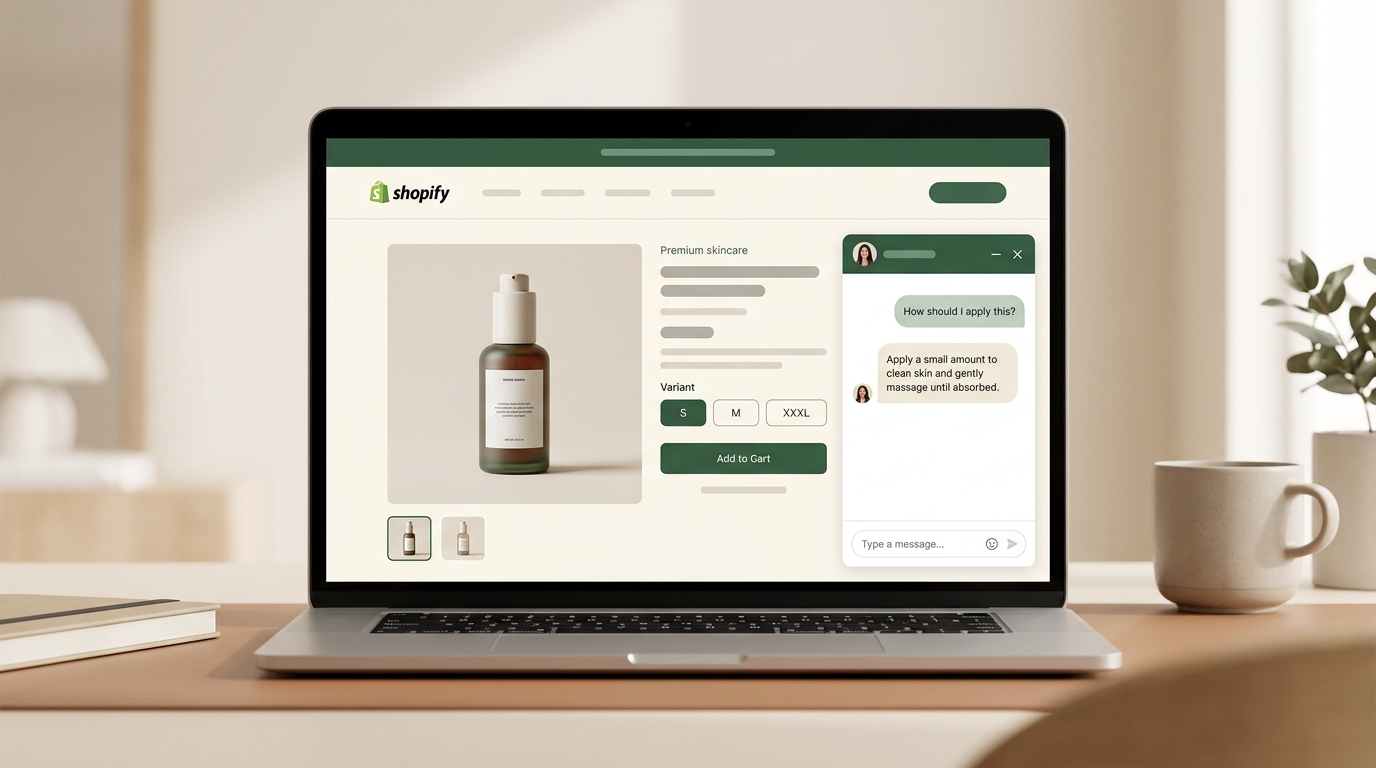
It lives on the storefront, usually as a product-page assistant, homepage assistant, or floating shopping widget. Its job is to answer buying questions, guide product discovery, compare options, and help shoppers move toward cart.
The cleanest distinction is this:
- Sidekick helps you improve the store you manage.
- A shopping assistant helps shoppers decide inside the store they experience.
Side by side
| Shopify Sidekick | AI shopping assistant | |
|---|---|---|
| Who uses it | Merchant, operator, marketer, store team | Shopper, visitor, potential buyer |
| Where it lives | Shopify admin and merchant workflows | Storefront, product pages, homepage, chat widget |
| Typical question | "Help me write this product description." | "Can I use this serum with retinol?" |
| Customer-facing? | No | Yes |
| Main job | Help the merchant run and improve the store | Help the shopper choose and buy |
| Conversion impact | Indirect: better content, workflows, analysis, operations | Direct: fewer unanswered questions at the buying moment |
| Best for | Store productivity and backend work | Pre-purchase guidance and storefront conversion |
What Shopify Sidekick is good at
Sidekick is Shopify's AI-enabled commerce assistant for merchants. According to Shopify's own documentation, it can help you get guidance, generate content, build apps, complete tasks, analyze data, manage orders, edit products, and create content such as blog posts, product descriptions, and images.
In Shopify's Winter '26 release, Sidekick also became more useful across merchant workflows. Shopify highlighted Sidekick Pulse for proactive recommendations, custom app generation, Shopify Flow automation, custom analytics reports, segmentation support, theme edits, product image editing, email editing, and reusable prompt shortcuts.
That makes Sidekick powerful. It is not "just a chatbot." It is becoming a productivity layer for running a Shopify business.
But it is still a merchant tool.
It helps you improve the store. It does not sit on your storefront and guide each shopper through a buying decision in real time.
What an AI shopping assistant is good at
A shopping assistant is customer-facing. It helps during the buying session itself.
That means it can answer questions like:
- "Is this serum safe with retinol?"
- "What's the difference between the classic and pro version?"
- "Build me a skincare routine under $120."
- "Which gift should I buy for someone who likes hiking?"
- "Do you have this in my size?"
Those questions happen after the shopper is already interested. They are not backend operations. They are buying decisions.
This is why shopping assistants matter: they work at the point where hesitation turns into either cart action or tab close.
What Sidekick will and will not do for shoppers
| Sidekick can help you | Sidekick does not |
|---|---|
| Write and improve product content | Chat with visitors on your storefront as a product assistant |
| Analyze store performance and reports | Answer product questions inside a shopper's live session |
| Create or improve workflows | Guide shoppers through product discovery on your PDPs |
| Edit products, content, and store settings with your review | Recommend products inside a storefront shopping chat |
| Surface merchant-side recommendations through Sidekick Pulse | Add products to a shopper's cart from a storefront assistant |
That distinction is important. Sidekick can help you create a better store experience. A shopping assistant helps shoppers inside that experience.
Do you need both?
Sometimes, yes.
If your problem is that you move slowly inside Shopify, Sidekick is the right tool. If your problem is that shoppers reach product pages and leave with unanswered questions, a shopping assistant is the right tool.
| Your problem | Best fit |
|---|---|
| You need help writing product copy or campaign content | Shopify Sidekick |
| You need help analyzing store data or operations | Shopify Sidekick |
| You want to create workflows faster | Shopify Sidekick |
| Shoppers ask product questions before buying | AI shopping assistant |
| Shoppers need help comparing products or building routines | AI shopping assistant |
| You sell to international shoppers who need help in their own language | AI shopping assistant with multilingual support |
| You want better backend productivity and better storefront conversion | Both |
The easiest way to decide is to ask where the friction happens.
If the friction happens while you are running the store, start with Sidekick. If the friction happens while the shopper is deciding what to buy, use a shopping assistant.
Where Dori fits
Dori is a shopping assistant, not a Sidekick replacement.
It handles the storefront side of the problem: product-page questions, guided discovery, multilingual conversations, product comparison, and add-to-cart from chat. If Shopify Sidekick helps you make a better product page, Dori helps the shopper make a better decision on that product page.
That is the real relationship between the two tools. They are complementary, not competitive.
If you already use Sidekick for admin work but shoppers still leave product pages with unanswered questions, Dori is one option to close that gap. For a broader comparison, see our 2026 buyer's guide to AI shopping assistants for Shopify. If you are comparing Dori and Tidio specifically, see our guide to the best Tidio alternative for Shopify.
Frequently asked questions
Can Shopify Sidekick talk to my shoppers?
No. Shopify Sidekick is designed for merchants inside Shopify's merchant tools. It does not appear on your storefront as a shopper-facing product assistant.
Is Shopify Inbox the customer-facing version of Sidekick?
No. Shopify Inbox is Shopify's customer messaging tool. It lets merchants manage customer conversations, but it is closer to live chat and messaging than a specialized AI shopping assistant built for product discovery, product-page Q&A, and add-to-cart guidance.
Will Shopify eventually add more shopper-facing AI?
Shopify is already investing in shopper-facing and agentic commerce through areas like agentic storefronts, Shopify Catalog, Checkout Kit, and Storefront MCP. But that is different from saying Sidekick itself is becoming a storefront shopping assistant.
Can Sidekick replace third-party AI apps?
For some merchant-side tasks, yes. Sidekick may reduce the need for separate tools for content creation, admin guidance, workflows, app discovery, reporting, or analysis.
For storefront buying help, no. If the task is helping shoppers choose and buy in real time, you still need a customer-facing shopping assistant.
Do small Shopify stores need both?
Not always. A small store should start with the biggest bottleneck. If the team is slow to create content, analyze performance, or manage store tasks, Sidekick is the better first step. If shoppers are landing on product pages but leaving because they still have questions, a shopping assistant is more likely to help.
The bottom line
Sidekick is for the merchant. Shopping assistants are for the shopper.
That one sentence clears up most of the confusion.
Use Sidekick when you want to run your store faster. Use a shopping assistant when you want shoppers to get better answers while they are deciding what to buy.
For many growing stores, the answer is not Sidekick or a shopping assistant. It is Sidekick plus a shopping assistant: one improves the work behind the store, the other improves the buying experience inside it.
For an honest comparison of AI shopping assistants, read our 2026 buyer's guide.
For the product-page problem this solves, read why Shopify product pages lose sales when questions go unanswered.