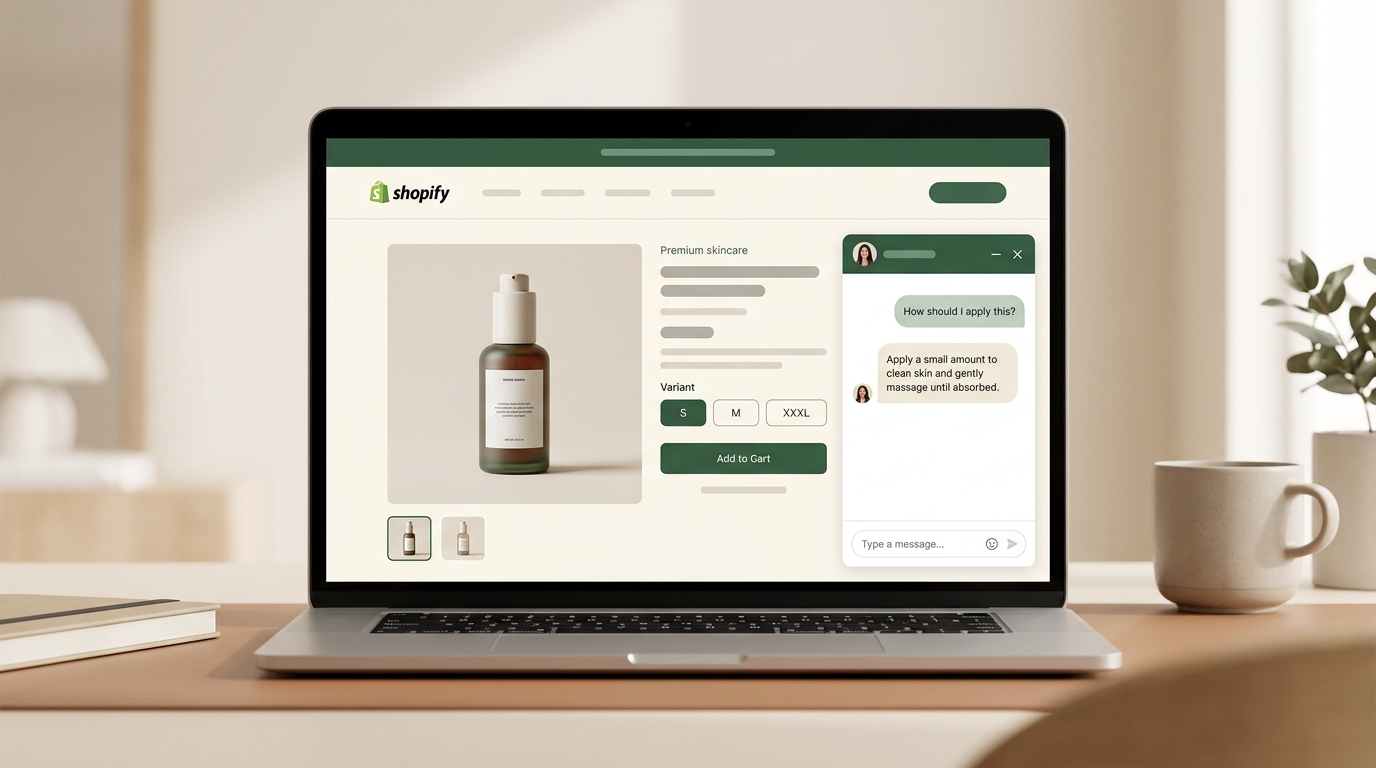
Many Shopify stores lose sales on product pages for a reason that never shows up in analytics: shoppers can't get specific questions answered at the moment they're deciding. Static FAQs answer the wrong questions. Reviews are messy. Sitewide chat often adds friction because it doesn't fully use product-page context. The fix is to give shoppers a self-serve way to ask contextual questions on the product page itself, then use that question data to improve the page over time.
A shopper lands on your serum page.
She's interested. She wants to know whether she can layer it with niacinamide, whether it's safe for sensitive skin, and whether the 30ml bottle is enough for daily use.
She scrolls.
The FAQ covers shipping and returns. Reviews mention texture and packaging. The chat icon in the corner says, "How can I help?" but doesn't clearly signal that it understands the product she's viewing. Getting an answer feels like work.
So she leaves.
You never learn why.
This is one of the most expensive problems in ecommerce because it is mostly invisible. Forrester's research shows that 53% of customers are likely to abandon an online purchase if they can't find a quick answer to a question. Baymard's product page research points to the same pattern from a UX angle: shoppers struggle when key product details are missing, buried, or hidden in layouts they overlook.
Price shows up in analytics. Missing answers usually don't.
That is the unanswered question problem.
What shoppers actually need on product pages
Not all product questions are the same. Most fall into three buckets, and each one breaks your current setup in a different way.
1. Factual questions
These have fixed answers.
"What are the ingredients?" "What are the dimensions?" "Is this machine washable?" "Does this work with USB-C?"
These should live in the product page already. But many stores still bury them in image text, PDFs, tabs, or spec sections that shoppers never notice.
2. Contextual questions
These depend on the shopper's specific situation.
"Can I use this if I already use tretinoin?" "Will this fit if I wear medium in Nike but large in Zara?" "Is this compatible with my 2022 MacBook Pro?" "Is this good for oily skin in a humid climate?"
These are the expensive questions. They combine product data with personal context. No static product page can pre-write every possible combination.
A skincare store with 50 products and 10 common concerns already has hundreds of possible question combinations. A fashion store with multiple fits, fabrics, and brand-size references has thousands. This is where static content breaks.
3. Comparative questions
These show up near the finish line.
"What's the difference between this and the Pro version?" "Should I get the 30ml or the 50ml?" "How does this compare with your other moisturizer?" "Which one is better for travel?"
These questions matter because the shopper is no longer browsing casually. They're choosing. Most product pages are built to present one product, not help someone compare two.
Why current solutions fail
Static FAQ sections
This is the default move on many Shopify stores: add a tidy accordion and call it a day.
That works for predictable, factual questions. It does not work for contextual or comparative ones.
The bigger issue is that FAQ sections usually reflect what the merchant guessed people would ask, not what shoppers are actually asking. They also tend to drift toward logistics: shipping, returns, delivery windows, and policy language. Once that happens, shoppers stop treating the FAQ as a place to get real product guidance.
Sitewide live chat
Sitewide chat can absolutely help, especially when a shopper wants reassurance or a human answer. But as a product-page solution, it often creates friction.
Why? Because the shopper is already signaling context by being on a specific product page. If the chat flow makes them restate that context, the buying flow slows down. Even when the tool can technically access page context, many experiences still feel disconnected from the product decision itself.
Baymard has also shown that intrusive live chat patterns can disrupt product exploration, especially on mobile. So simply adding more chat is not the same as solving the product-page answer gap.
Reviews as proxy Q&A
Some shoppers try to mine reviews for answers.
That works occasionally. Most of the time, it doesn't.
Reviews are unstructured, inconsistent, and written by people with different goals, routines, sizing references, and levels of expertise. A shopper looking for ingredient compatibility won't reliably find it in reviews about delivery speed or scent.
Doing nothing
This is still the most common setup: description, images, maybe a few bullets, and hope that's enough.
That can work for low-consideration products. It usually fails for products that depend on fit, ingredients, compatibility, routine, use case, or comparison.
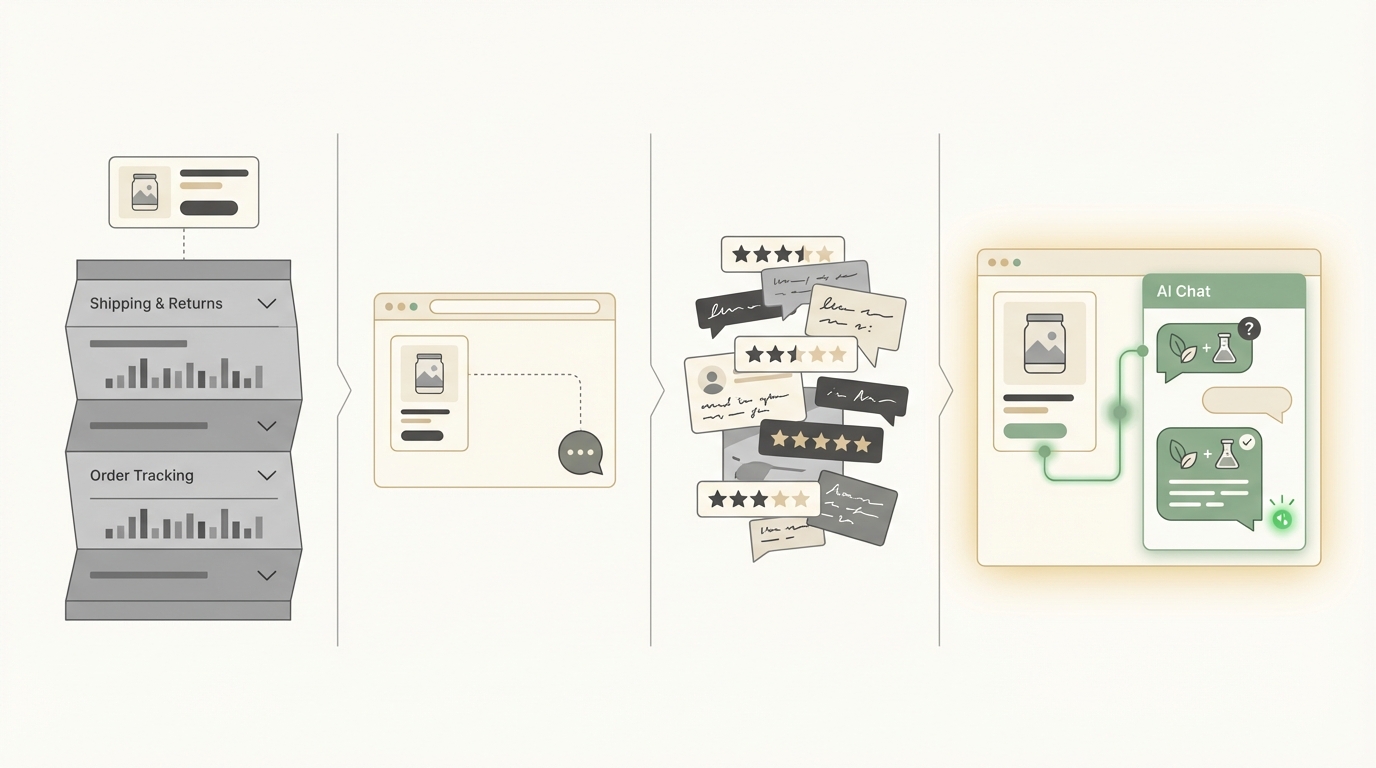
Which setup handles real product-page questions best?
| Capability | Static FAQ | Sitewide Chat | Reviews | Product-page-aware Q&A |
|---|---|---|---|---|
| Answers basic factual questions | Sometimes | Sometimes | Rarely | Yes |
| Handles contextual questions at scale | No | Varies | No | Best fit |
| Helps with comparison questions | Limited | Varies | Rarely | Yes |
| Works 24/7 without staffing | Yes | Varies | Yes | Yes |
| Stays useful across large catalogs | Poorly | Expensive to maintain | Unstructured | Yes |
| Reveals recurring information gaps | No | Partly | No | Yes |
The key distinction is not "chat" versus "no chat." It's whether the shopper can get a useful answer without leaving the decision context of the product page.
The real cost of unanswered questions
The cost is bigger than one missed session.
When a shopper cannot resolve a question quickly, several things happen at once:
- Conversion drops because uncertainty wins.
- Support tickets rise because pre-purchase questions spill into human channels.
- Merchants misread the problem as pricing, traffic quality, or weak creative.
- The page keeps leaking revenue because nobody can see the missing answer.
That last point matters most.
If a shopper leaves because your shipping cost is too high, you can usually find evidence of that. If they leave because they couldn't figure out whether the serum fits their routine or whether the jacket runs small, that signal often disappears completely.
The visible support ticket is usually just the tip of the iceberg.
The product-page context gap
Here's the structural issue.
By the time someone lands on a product page, they've already narrowed their attention. They came from a collection, search result, ad, email, or recommendation. They are not asking in the abstract anymore. They are evaluating this product.
Any tool that ignores that context forces the shopper to restart.
"Can I use this with retinol?" only makes sense if the system already understands what "this" is. "Will this fit my 16-inch MacBook Pro?" only matters if the page context is already attached to the question.
That gap between shopper context and tool context is where many conversions die.
How to audit this problem on your own store
You do not need to buy anything to diagnose it.
Step 1: Open your top 10 product pages like a first-time shopper
Use an incognito window. Pick your highest-traffic products.
For each page, write down two or three questions a first-time buyer might ask before purchasing. Then try to answer them without leaving the page.
If you have to open reviews, dig through tabs, start a chat, or search elsewhere, the page is weaker than it looks.
Step 2: Review the last 30 days of pre-purchase support questions
Label each question as one of these:
- Factual — has a fixed answer that should be on the page
- Contextual — depends on the shopper's situation
- Comparative — involves comparing products or options
Then look at the mix.
If a large share of your questions are contextual or comparative, your product pages are carrying less of the sales job than they should.
Step 3: Map each question to where the answer currently lives
Ask:
- Is the answer on the page?
- Is it buried?
- Is it only in support docs?
- Is it only in your team's head?
- Does the shopper need to leave the page to find it?
This is where the leaks become obvious.
Step 4: Look for patterns, not edge cases
If the same type of question repeats across products, that is not random shopper behavior. That is a structural content gap.
If 20 shoppers ask whether a product is pregnancy-safe, your issue is not "too many questions." Your issue is that the page is failing to answer a buying question clearly enough.
What product-page-aware Q&A changes
A product-page-aware assistant changes the interaction in one important way: it starts from the product context instead of asking the shopper to recreate it.
That shift does four things.
First, it makes contextual answers possible. A shopper can ask whether a product fits a routine, a body type, a device, or a specific use case without restarting the conversation from zero.
Second, it makes the long tail manageable. You do not need to hard-code hundreds of possible combinations into static copy.
Third, it reduces avoidable support load. Questions that do not require human judgment can be answered where they arise.
Fourth, it turns questions into insight. If shoppers keep asking the same thing, the page should improve. The Q&A layer becomes a diagnostic tool, not just a support tool.
That is why product-page-specific assistants matter more than generic sitewide bots for many Shopify stores. Dori's Product Pal is one example of this model, but the larger point is architectural: the closer the answer system is to the buying context, the less friction the shopper faces.
When this matters most
This problem is most obvious in categories where buying decisions depend on nuance:
- Skincare and beauty
- Fashion and apparel
- Supplements and wellness
- Electronics and accessories
- Home products with compatibility or sizing constraints
- Gifts, bundles, and compare-heavy catalogs
If shoppers regularly ask "will this work for me?" then your product pages need more than static copy.
Frequently asked questions
Do I still need an FAQ section?
Yes. FAQ sections still help with predictable factual questions. But they should not be your only answer system if shoppers ask nuanced questions about fit, compatibility, ingredients, routines, or comparisons.
How is this different from sitewide chat?
Sitewide chat supports the whole store. Product-page-aware Q&A supports the decision happening on the page right now. That difference matters because shoppers are far more likely to engage when they feel the system understands what they're looking at.
What should I measure?
Start with: assisted add-to-cart rate, question volume by product, question type by product, pre-purchase support ticket trends, and conversation-to-purchase rate. The most underrated metric is transcript review — it tells you exactly what your product pages still fail to explain.
Will this hurt page speed?
It should not if implemented well, but merchants should verify. Any tool added to a product page should load asynchronously and be tested in a real theme environment with Lighthouse or Shopify theme previews before full rollout.
The bottom line
Many Shopify product pages do not lose sales because they look bad. They lose sales because they leave key buying questions unanswered.
That is a different problem.
It is not mainly a design problem, a traffic problem, or even a pricing problem. It is a decision-support problem.
And once you see it that way, the fix becomes much clearer: give shoppers a way to get useful answers without leaving the product page, then use those questions to keep improving the page itself.
For a side-by-side comparison of Shopify shopping assistants that offer product-page Q&A, read our 2026 buyer's guide.
If your main challenge is FAQ automation at scale, see how to automate Shopify FAQs without hurting conversion.
For a deeper look at how search friction compounds the problem, read why old-school search bars leak money.
To see how one skincare brand handled this, read the Luonkos case study.
Sources: Forrester Research (2016), Baymard Institute product page research, Baymard live chat usability