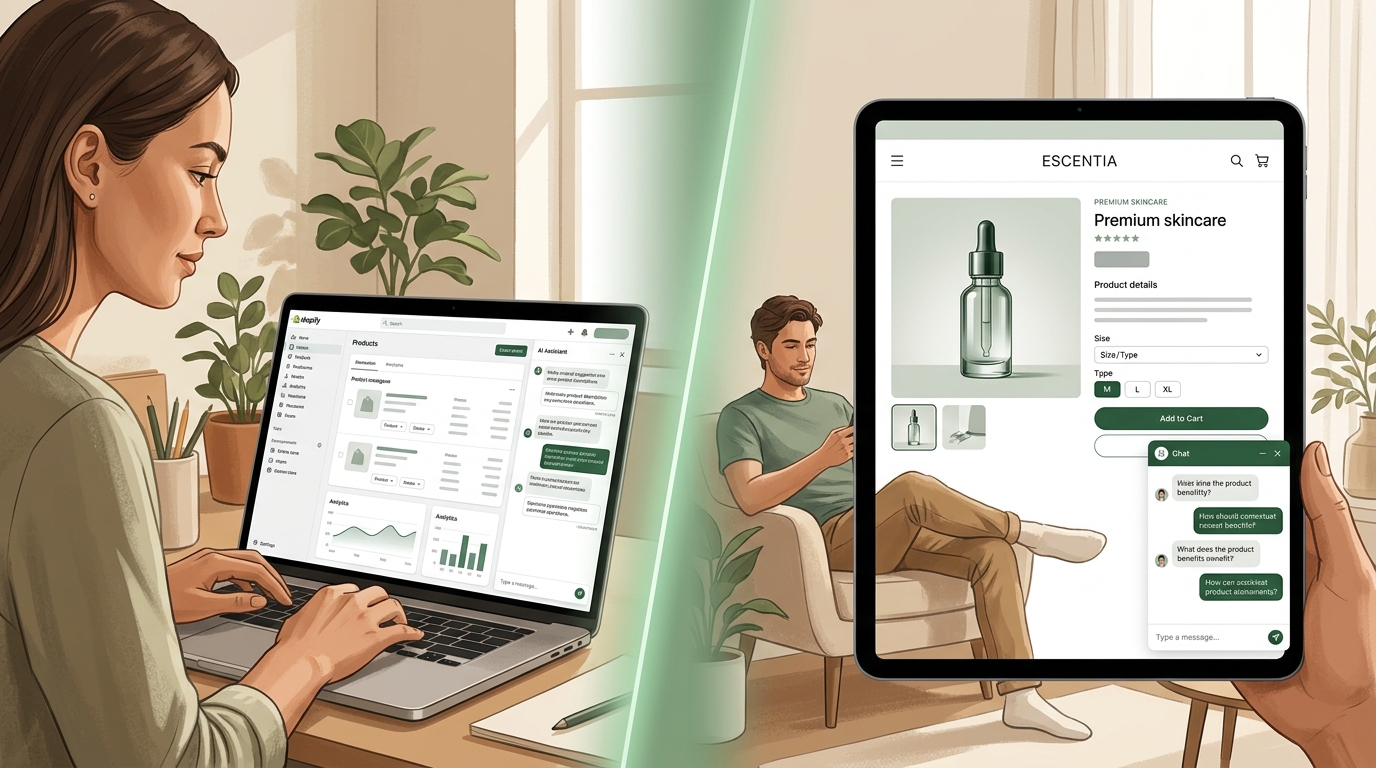
Disclosure: Dori makes a product page chatbot called Product Pal. This article explains the category first and mentions Dori's implementation near the end.
Quick take. A Shopify product page chatbot is built to answer buying questions about the exact product a shopper is already viewing — with product context, selected variant, and real catalog data loaded before they type a word. It is not sitewide chat, not an FAQ section, and not a review section. It is the tool that closes the gap when a shopper has enough interest to care but not enough certainty to buy.
A shopper lands on a product page for a 30ml vitamin C serum. She likes the price. The packaging looks clean. The reviews are strong. She is close to buying.
But she still has one question: can she use it with the retinol she already applies at night?
She scrolls. The FAQ covers shipping and returns. The reviews talk about texture and scent, not ingredient compatibility. There is a chat bubble in the corner, but when she opens it, the first message is a generic "Hi! How can we help?"
That is the problem.
She is not looking for store support. She is not browsing casually. She is already on the product page, trying to decide whether this specific item is right for her.
When that question goes unanswered, the sale often disappears with it. Forrester found that 53% of shoppers abandon a purchase when they can't find a quick answer.
That is exactly what a Shopify product page chatbot is built to solve.
What a product page chatbot actually is
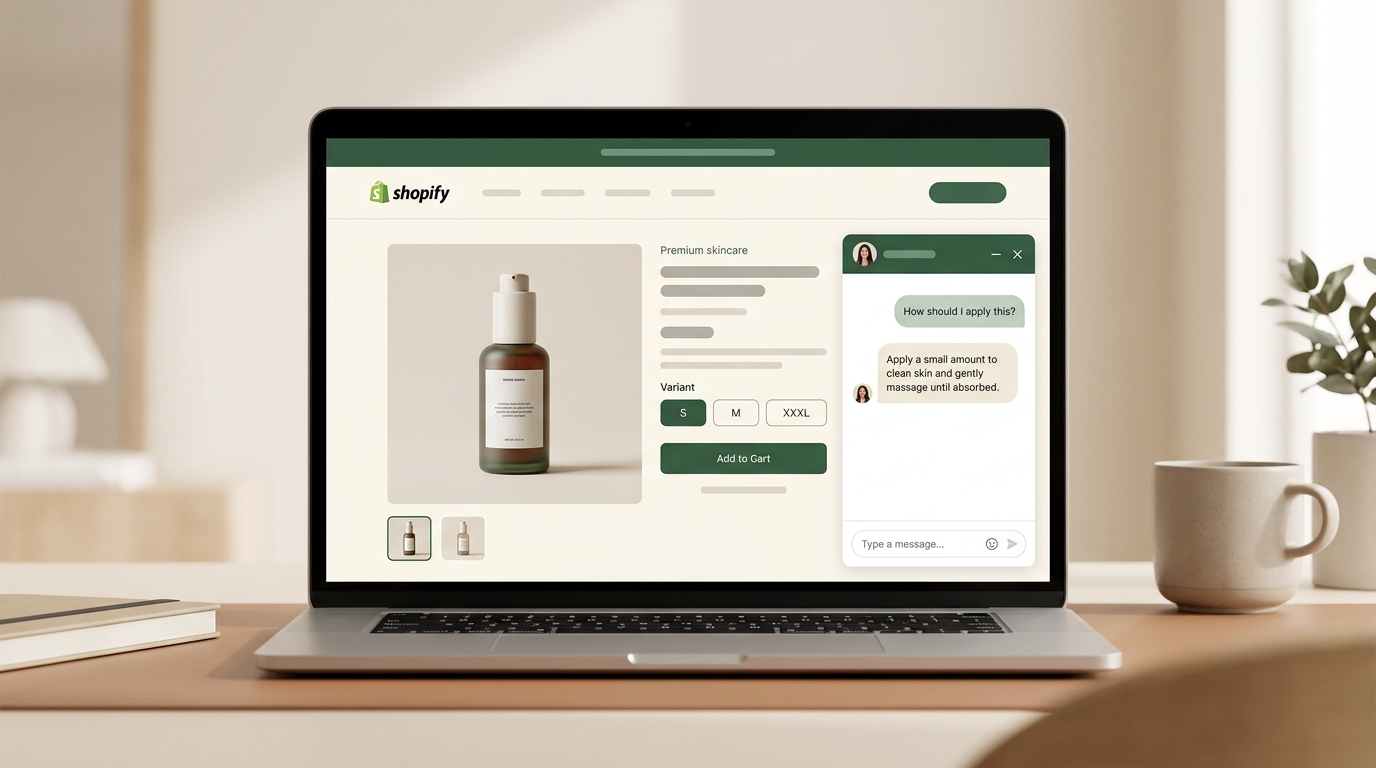
A product page chatbot is a conversational assistant embedded directly on an individual product detail page, or PDP. Its job is simple: answer buying questions about the exact product the shopper is viewing, at the exact moment they need the answer, without forcing them to leave the page, restart the conversation, or search elsewhere.
That is what makes it different from a general chatbot.
A general chatbot starts from zero. A product page chatbot starts with the product context already loaded.
If a shopper is on a vitamin C serum page and asks, "Can I use this with retinol?", the assistant should understand which serum she is viewing and answer from the store's actual product information, not from a vague support script and not from generic AI guesswork.
Three things define the category:
- It starts with the product context already loaded.
- It answers from real store data, not generic AI guesswork.
- It helps the shopper decide without leaving the product page flow.
If one of those pieces is missing, it is usually not a true product page chatbot. It is a sitewide chat tool that happens to be visible on a product page.
Why sitewide chat and FAQs do not solve the same problem
Most Shopify stores already have some form of chat, help widget, or FAQ section. Those tools are useful. They just solve a different problem.
A product page chatbot is for the shopper who already knows the product and needs one last answer before buying.
A sitewide assistant is usually for the shopper who knows the problem but has not chosen the product yet.
That distinction matters more than most merchants realize.
A sitewide chat tool can appear on product pages, but in most stores it is still designed like a general storefront inbox, not a product-specific decision tool. It is built for questions like:
- Where is my order?
- What is your return policy?
- Do you ship internationally?
Those are real support questions. They are just not the same as:
- Is this serum safe to use with retinol?
- Will this belt fit if I usually wear a 34 and this brand runs small?
- Does this keyboard work with a 2022 MacBook Pro?
- Is this supplement likely to upset a sensitive stomach?
Those are pre-purchase decision questions. They depend on the product, the shopper's use case, and often the selected variant.
FAQs help with predictable, repeated questions. They work well for shipping, returns, warranty details, and basic specifications. They do not work well for the long tail of real buying questions shoppers ask in natural language.
Reviews help occasionally, but only by accident. A shopper looking for compatibility, fit nuance, or usage guidance may find the answer buried somewhere in a review, but they usually do not want to dig through dozens of comments hoping someone asked the same thing first.
That is the gap a product page chatbot fills.
The two tools look similar from a distance, but they are solving different problems:
| Sitewide chat | Product page chatbot | |
|---|---|---|
| Starting context | Generic greeting, blank slate | Knows the product, variant, and page the shopper is on |
| Main job | Route requests across the store | Resolve hesitation on a specific PDP |
| Typical question | "Where is my order?" | "Can I use this with retinol?" |
| Answers from | Help center, order data, FAQ | Product catalog, variants, metafields |
| Optimized for | Support deflection | Pre-purchase conversion |
Why this matters for conversion
Product pages rarely lose sales to disinterest. They lose sales to uncertainty — the shopper got to the decision point but stalled on a single unresolved question. At that moment, even small friction kills momentum: leaving the page, opening a support flow, waiting on an email, or digging through reviews.
A product page chatbot resolves the question without breaking the buying flow. That is why the category matters most for catalogs where one question can decide the sale — skincare, supplements, apparel, electronics, accessories, furniture, pet products, and anything where fit, compatibility, usage, or variant differences shape the decision.
What features actually matter
Not every tool marketed as a Shopify product page chatbot does the same thing. The right question is not whether it has AI — it is whether the AI is useful in the buying moment. Here is the checklist we use when evaluating tools in this category:
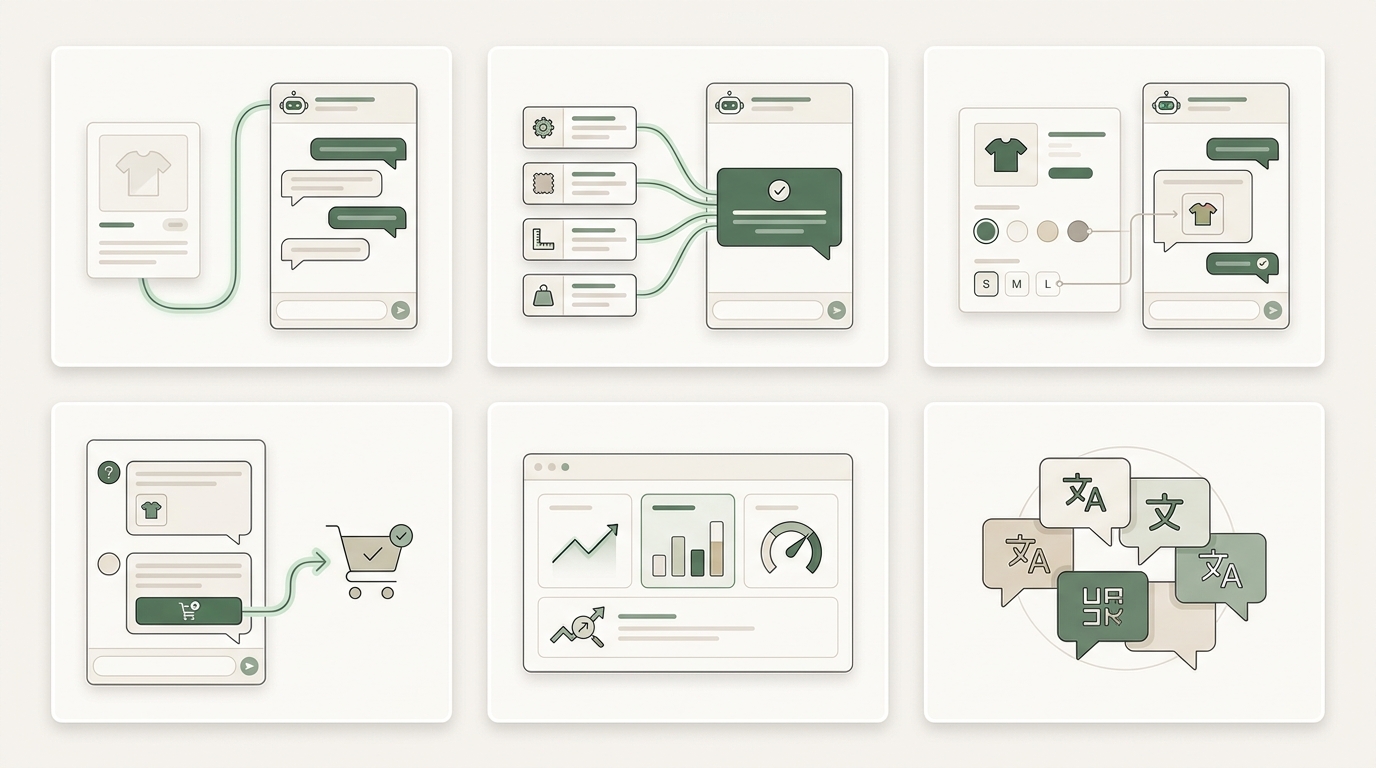
| Feature | Why it matters | What bad looks like |
|---|---|---|
| Product context out of the box | The shopper doesn't have to restate which product, variant, or price they're on | A generic "Hi! How can we help?" on every PDP |
| Grounded answers | Accuracy — critical for skincare, supplements, electronics, anything safety-related | AI confidently inventing ingredients, dimensions, or compatibility |
| Variant awareness | Stock, sizing, and compatibility answers resolve against the selected variant | "Yes, this is in stock" with no idea which size or color |
| Add-to-cart from chat | Keeps momentum once the question is answered — no page hop | Shopper has to leave the chat and click back to the PDP |
| Question analytics | Repeated questions expose PDP gaps the merchant can fix | Merchant never sees what shoppers are actually asking |
| Multilingual conversation | International shoppers get real answers, not translated UI strings | UI is in French, but the AI only replies in English |
Useful extras depending on your catalog: handoff to a human for edge cases, variant-by-variant comparison, bundle or accessory suggestions when they are genuinely relevant, and category-specific guardrails for sensitive topics.
How to add a product page chatbot to a Shopify store
The exact setup depends on the app, but the flow is usually straightforward.
- Install the app. Setup starts from the Shopify App Store. The app will request access to the parts of your catalog it needs to answer product questions accurately.
- Sync product information. Most tools pull in product data you already have — titles, descriptions, variants, availability, specifications, and sometimes metafields. Assistant quality depends less on "training" and more on how well-structured your product data already is.
- Set tone, scope, and guardrails. Choose how the assistant should sound. Helpful and direct usually performs better than overly playful. Define where it appears, which product categories it covers, and which topics to escalate or avoid.
- Place it on the product page. Most Shopify apps now support theme app embeds or app blocks, so placement is usually one toggle in the theme editor. Prefer experiences embedded near the buying area over floating support-style widgets — if it feels like generic support floating over the page, it usually performs like generic support too.
- Launch and review early conversations. The first batch is the fastest feedback. You'll quickly see which questions repeat, which answers reveal missing product detail, and which PDPs need stronger copy, sizing guidance, or compatibility info. The assistant becomes both a conversion tool and a product-page research tool.
What to measure after install
Installing a chatbot is easy. Evaluating whether it improves the buying experience takes a little more discipline. Here is the scorecard to start with:
| Metric | What it tells you | Good early sign |
|---|---|---|
| Assisted add-to-cart rate | Whether chats move shoppers toward purchase in the same session | Chatted-session conversion above your site average |
| Conversion on high-consideration PDPs | Whether the tool lifts the pages where shoppers actually hesitate | Noticeable lift on technical, premium, or variant-heavy products |
| Repeated question types | Which PDPs fail to explain themselves — and where to improve the page | Clear patterns within the first 100 conversations |
| Return rate by PDP | Whether better-matched purchases are also improving unit economics | Returns trending down on pages where the assistant is active |
| Support ticket deflection | Whether pre-purchase questions are dropping off the support queue | Fewer product-related tickets in the first month |
| International conversion | Whether language barriers were quietly suppressing demand | A non-English market converting better after install |
Why CFOs care too: better answers can reduce returns. The average ecommerce return rate sits around 20–25%, and the two most common reasons are "wrong size" and "not as described." Both come from the same root cause — the shopper bought without fully understanding how the product applied to their situation. A grounded product page chatbot narrows that gap. A small conversion lift plus a small return-rate reduction can compound into a meaningful margin improvement.
That is also why accuracy matters. A chatbot that over-promises only shifts the cost from "lost sale" to "expensive return." Grounded answers are not just better for conversion — they are better for unit economics.
Where Dori fits
Dori makes a product page chatbot called Product Pal.
The cleanest way to understand it is this:
- Product Pal handles the question about the product already on screen.
- Sidekick handles the choosing problem before the shopper knows the SKU.
That split is important.
Many tools try to solve both jobs in one interface. In practice, those are different moments in the buyer journey. One starts with product certainty and needs an answer. The other starts with need certainty and requires recommendation or discovery.
Dori also supports 60+ languages with automatic detection and is designed to keep the buying interaction close to the product-page flow rather than treating it like a general support inbox.
Dori has a free plan with 200 conversations a month, and stores that need more volume are quoted per store.
Frequently asked questions
Is a product page chatbot different from a regular chatbot?
Yes. A regular chatbot usually serves the whole store and starts from a generic prompt. A product page chatbot starts with the shopper's product context already loaded. That changes the quality and relevance of the interaction.
Do I still need sitewide chat?
Possibly. If your store handles a lot of post-purchase questions like order tracking, returns, shipping issues, or delivery problems, sitewide support chat still has a job. The two tools are not identical, and they do not need to replace each other.
Will it slow down my product page?
It should not if it is implemented well, but it is worth testing. Mobile performance is especially critical on Shopify storefronts — Shopify's own performance guidance treats Core Web Vitals (LCP, CLS, INP) as primary levers for conversion and SEO. Any added widget should load asynchronously and be measured against your CWV baseline on product pages before a full rollout.
Can it work for technical or sensitive products?
Yes, but only if the answers are grounded in real product data and the system has sensible limits. In categories where accuracy matters, merchants should evaluate answers carefully before rolling out broadly.
Does it work for non-English stores?
Some do, some do not. This is worth testing directly. There is a big difference between translated interface elements and a genuinely useful multilingual buying conversation.
The bottom line
A Shopify product page chatbot is not just another chat widget.
It is a specific type of buying assistant for a specific moment: when the shopper is already on the product page, already interested, and still missing one answer.
That is why it often converts better than sitewide chat on PDPs.
Sitewide assistants help shoppers explore. Product page chatbots help shoppers decide.
If you are evaluating the category, the checklist is short:
- product context already loaded
- grounded answers from real store data
- variant awareness
- low-friction movement toward purchase
- useful question analytics
- strong multilingual support if you sell internationally
Everything else is secondary.
For a deeper look at why unanswered product-page questions cost sales, read why Shopify product pages lose sales when questions go unanswered.
For a side-by-side tool comparison, read our 2026 buyer's guide to AI shopping assistants.